How to Create an Amazon Wedding Registry (Step-by-Step Guide for Beginners)

Amazon Wedding Registry

Creating a wedding registry might feel confusing at first…
But with Amazon Wedding Registry, it’s actually one of the easiest parts of wedding planning.

In this detailed guide, you’ll learn exactly how to set up, customize, and optimize your registry so you get gifts you truly love and use.
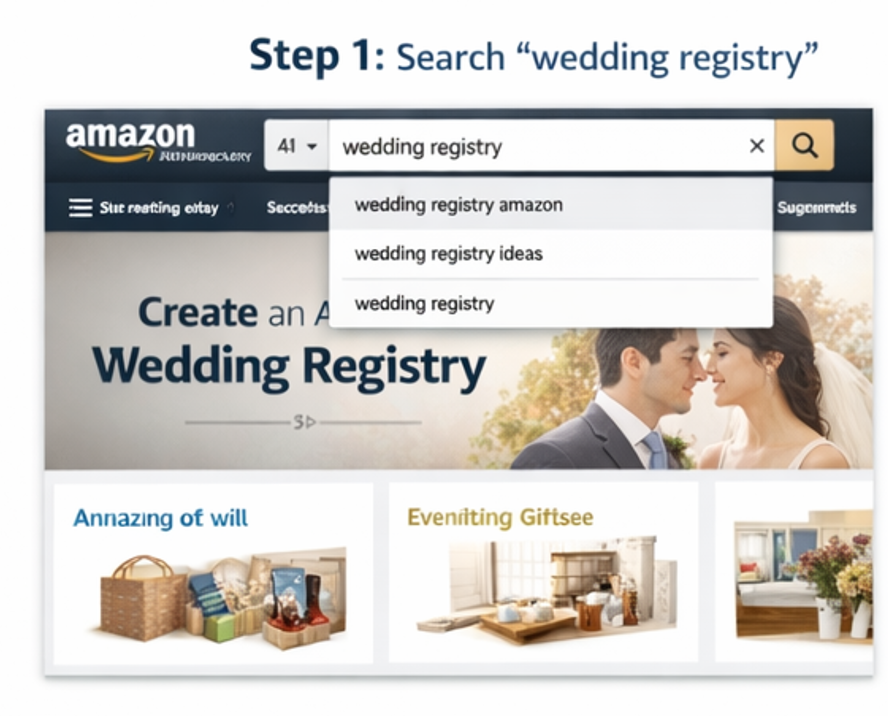
Step 1: Go to Amazon Wedding Registry

Amazon Wedding Registry

Start by visiting Amazon

  • In the search bar, type “Wedding Registry”
  • Click on Amazon Wedding Registry
  • Hit the “Create Your Registry” button

💡 You must be logged into your Amazon account before continuing.

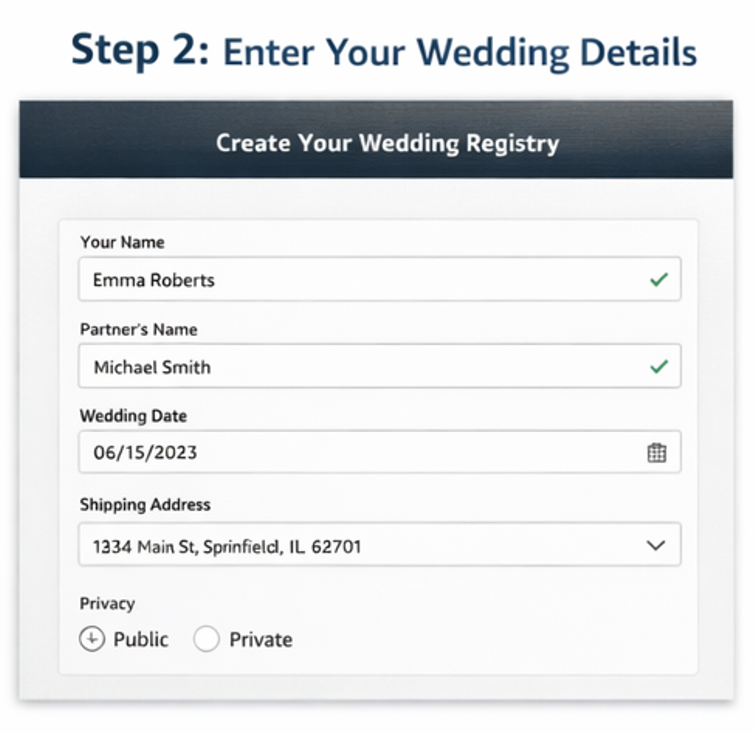
Step 2: Enter Your Wedding Details

Amazon Wedding Registry

Now Amazon will ask for your basic information.

Fill in:

  • Your full name & partner’s name
  • Wedding date
  • Shipping address
  • Privacy settings (public or private registry)

💡 Important Tip:
Set your registry to public so guests can easily find it.

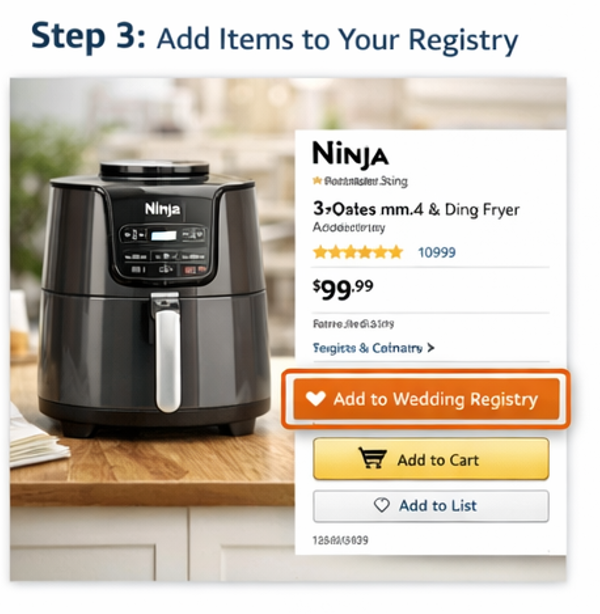
Step 3: Start Adding Products to Your Registry

Amazon Wedding Registry

This is the most important step.

Search for items and click “Add to Wedding Registry” on product pages.

✔️ What to Add:

  • Kitchen essentials (air fryer, cookware)
  • Bedroom upgrades (bedding, pillows)
  • Home essentials (vacuum, storage)
  • Dining & hosting items
  • Smart home products

💡 Pro Tip:
Aim for 25–50 items with a mix of:

  • Budget-friendly gifts ($10–$50)
  • Mid-range ($50–$150)
  • Premium items ($200+)

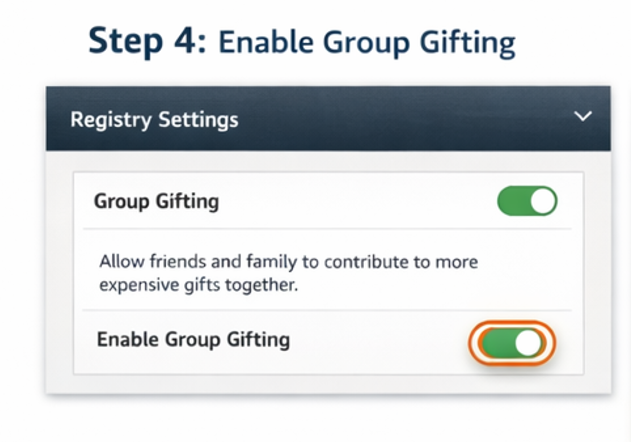
Step 4: Enable Group Gifting (Very Important)

Amazon Wedding Registry

For expensive items, turn on Group Gifting.

This allows multiple guests to contribute toward one item.

✔️ Best for:

  • Furniture
  • Appliances
  • Electronics

💡 Why this matters:
Without this, guests may skip expensive items completely.

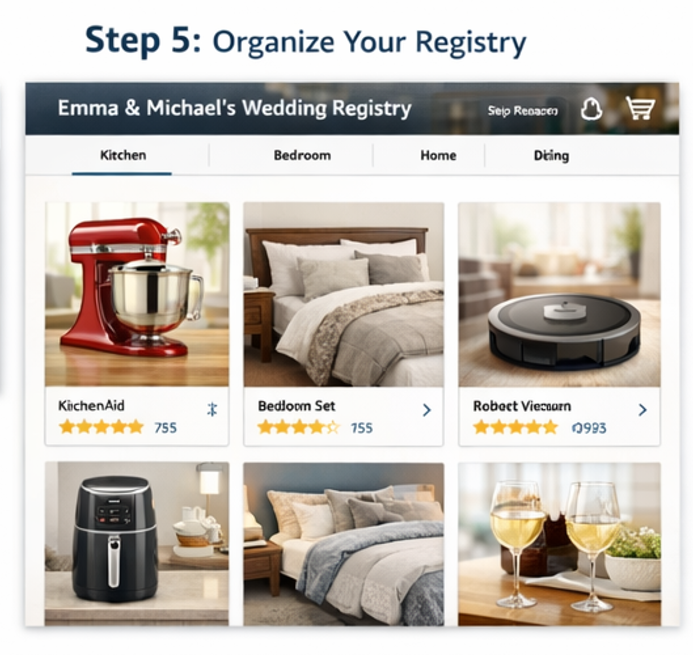
Step 5: Organize Your Registry Like a Pro

Amazon Wedding Registry

A clean registry = more purchases.

✔️ Do this:

  • Categorize items (Kitchen, Bedroom, etc.)
  • Remove duplicates
  • Add clear product variety
  • Keep descriptions simple

💡 Golden Rule:
Make it easy for guests to decide quickly.

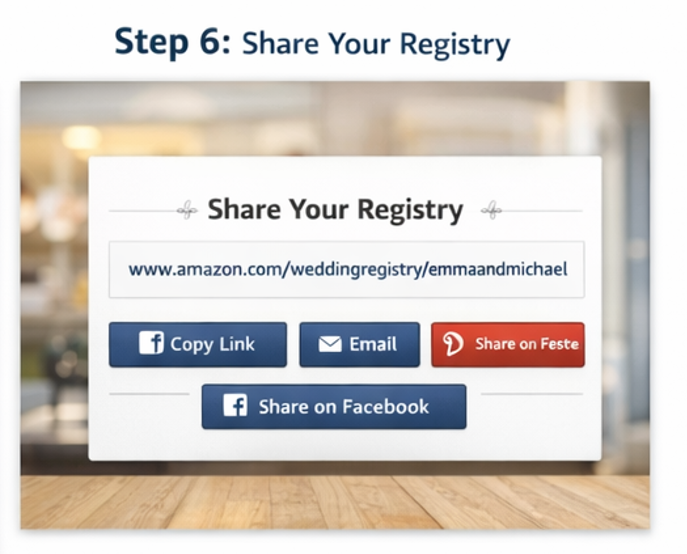
Step 6: Share Your Registry with Guests

Amazon Wedding Registry

Once your registry is ready:

  • Copy your registry link
  • Add it to your wedding website
  • Share via WhatsApp, email, or invitations

💡 Pro Tip:
Place your registry link where guests can easily find it—don’t hide it.

Step 7: Keep Updating Your Registry

Amazon Wedding Registry

Your needs may change—keep your list updated.

✔️ Update regularly:

  • Add new items
  • Remove purchased products
  • Upgrade choices

💡 Why this matters:
Active registries get more engagement and purchases.

Build your dream wedding registry with must-have gifts

Start Your Registry

Not sure what to add to your registry?

See must-have items →
Scroll to Top